Download the Windows installer and run it right away.
Grab the MSI installer, run it, and then choose the unlock that fits your needs: a 24h trial or a 1 month license.
Download MuMaster
Download the MSI installer, run it, and launch the app from the Start Menu or desktop shortcut.
How to run
Download the installer
Save MuMaster_0.1.0_x64.msi from this page.
Run the installer
Open the MSI and follow the Windows setup steps.
Start the app
Launch MuMaster from the Start Menu, then choose the 24h trial or monthly license inside the app.
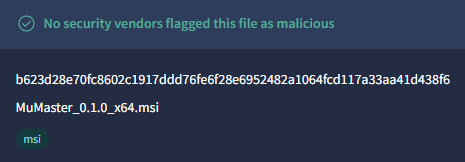
VirusTotal clean
Open reportVirusTotal shows that no security vendors flagged MuMaster_0.1.0_x64.msi as malicious.
Download the installer
Use the MSI installer from this page to get the fastest setup on Windows.
Install and open
Run the MSI, complete setup, then launch the app from Windows.
Start the trial or license
Open the app and unlock it with the 24h trial or the monthly license when you're ready.