MuOnline macro features for combo, potions, and timing.
Explore how MuMaster helps with MuOnline auto combo, MuOnline auto potions, mouse side button support, and delay tuning for smoother PvP. This page is the main feature hub for players who want a practical MuOnline macro without guessing what each part does.
Auto combo
Keep your skill rotation steady with a MuOnline auto combo setup that supports hold and toggle behavior, mouse side buttons, and server-friendly timing.
Auto potions
Protect your HP, SD, Mana, and AG with a MuOnline auto potions flow that helps you stay focused on movement and pressure during fights.
Delay calculator
Tune delays against your ping and server limits so your macro feels more stable, more natural, and easier to keep consistent in real PvP.
Use your mouse as a control hub
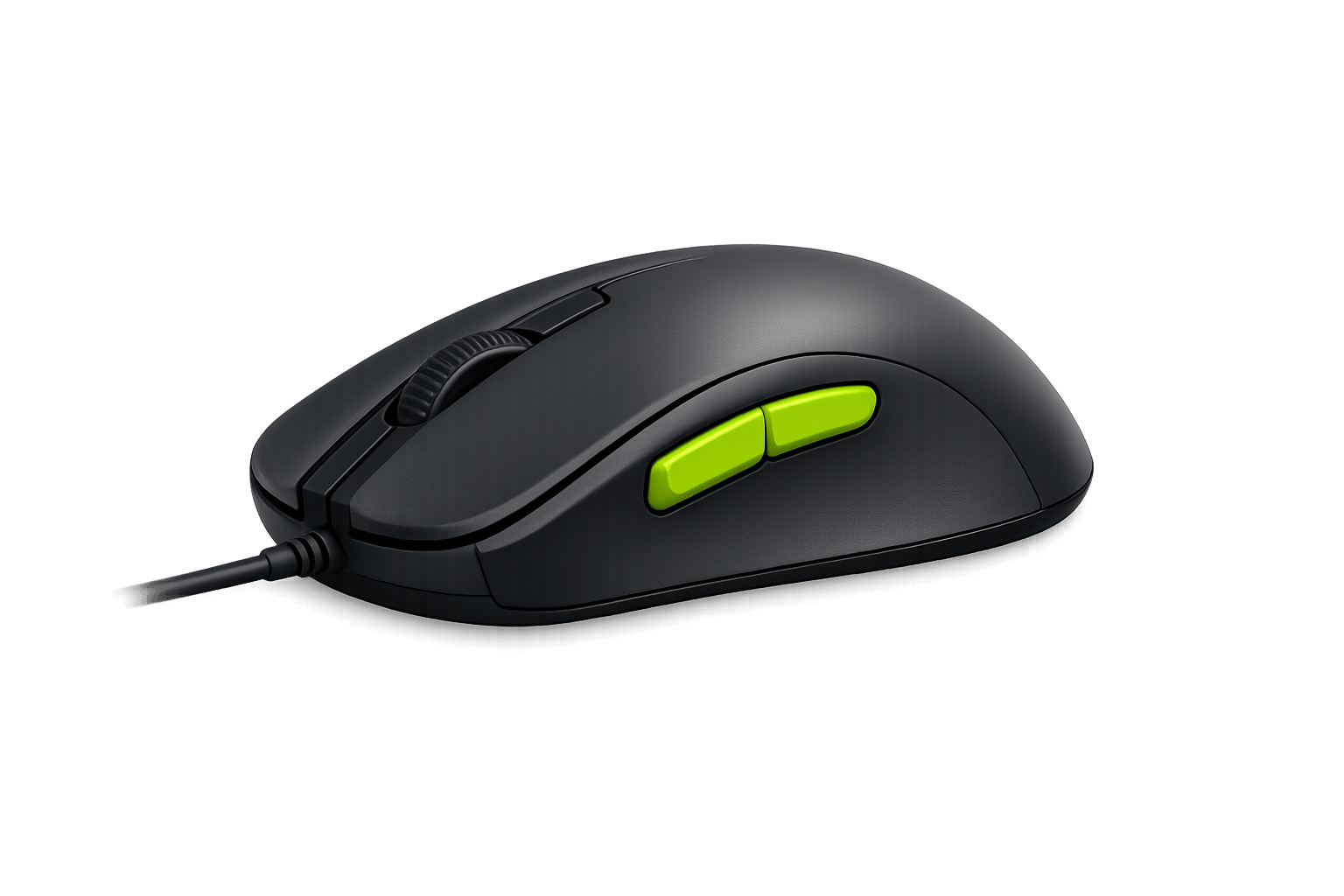
Turn any regular mouse with side buttons into a gaming mouse. MuMaster maps side buttons to Start/Stop actions and profile switching so you can keep full control without touching the keyboard.
This is especially useful if you want a MuOnline macro that feels fast but still hands-free. Side buttons let you trigger auto potions or auto combo without breaking your movement rhythm in PvP.
Compatible with most common mice that expose side buttons through standard HID drivers. Works together with profiles and hold/toggle combo modes to provide flexible in-combat control.
Never miss a heal
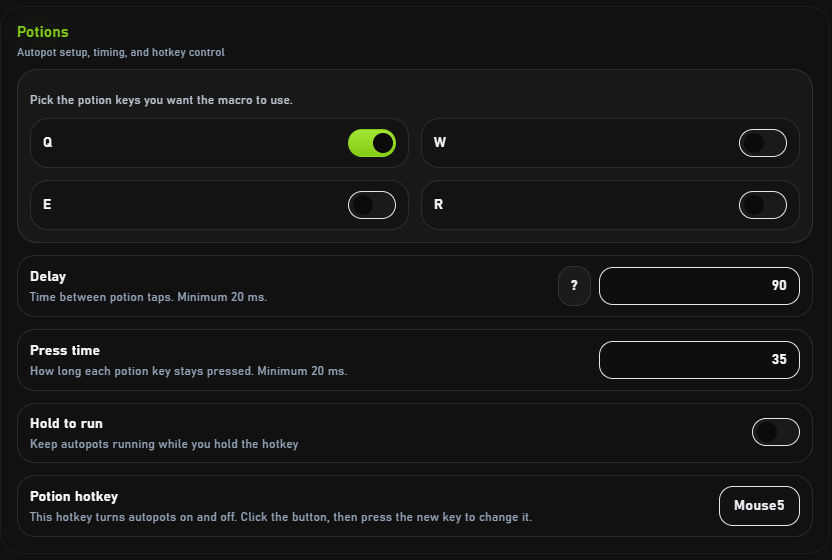
Keep your SD, HP, Mana, and AG under control while you stay focused on fight.
Customize thresholds for each resource, set priority order when multiple potions are available, and configure cooldown-safe usage to avoid wasting consumables. This makes the auto potions flow more predictable on servers with strict timing rules.
Autopots adapt to sudden health drops and prioritize survival in intense PvP situations. It is a clean fit for players who want a dependable MuOnline auto potions setup without constantly watching every bar.
Keep pressure nonstop
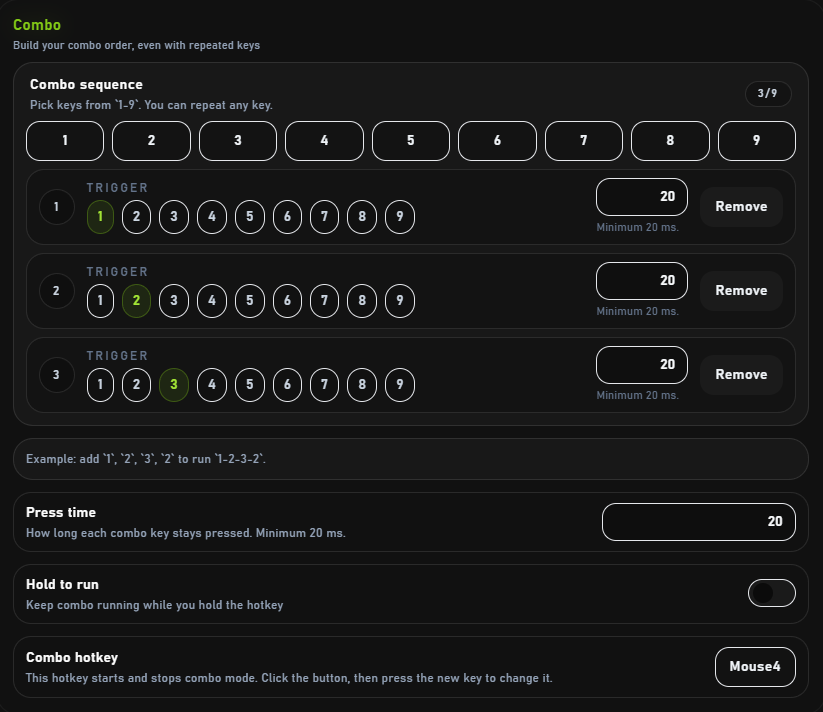
Choose your skills, set the delays, and let the combo run with smooth timing.
Define skill sequences, per-skill delays, and conditional branches when needed. The combo engine minimizes input jitter and supports both hold and toggle modes so you can play aggressively or maintain steady pressure automatically.
This is the part of MuMaster that helps players looking for a reliable MuOnline auto combo without overcomplicating the setup. It works best when the timing matches your actual server and ping.
Find the right delay
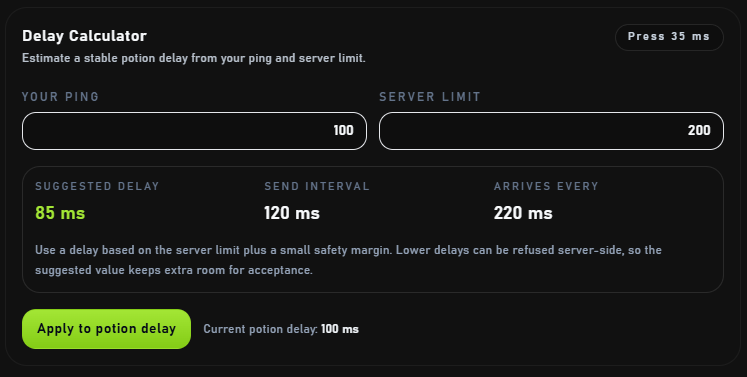
Use the delay calculator to match your ping, server limits, and potion timing more easily.
Input your average ping and observed action response times to get recommended delay windows. The calculator shows safe ranges, suggests conservative defaults for unstable connections, and helps you fine-tune timings for maximum throughput. It is one of the most useful parts of the feature set when you want your macro to feel stable rather than random.
Fast, but stable
Tune your timings for a better balance between speed, precision, and reliable combat flow.
MuMaster is optimized to be lightweight on CPU and memory, minimizing interference with gameplay. Built-in safety checks prevent runaway input loops, and automatic recovery logic handles temporary disconnects or lost focus so your settings remain reliable over long sessions.
That stability matters if you play longer sessions or switch often between servers. A good MuOnline macro should feel like a tool, not something you keep babysitting.